Accessibility is at the heart of what we do at Transreport, and our Passenger Assistance technology was developed to make requesting assistance simpler for Disabled and older passengers.
But what is Passenger Assistance? And how does it work?
Background
At Transreport, we are aligned with the Social Model of Disability.
This means recognising that people are Disabled by barriers in society, systems and environments, rather than by an individual impairment. These barriers can be physical, digital, operational or attitudinal.
Passenger Assistance was developed in direct response to some of the barriers Disabled and older passengers face when travelling by train. Our goal is to use technology to make the process of requesting assistance easier, clearer and more accessible.
使い方
Passenger Assistance is integrated across the UK rail network.
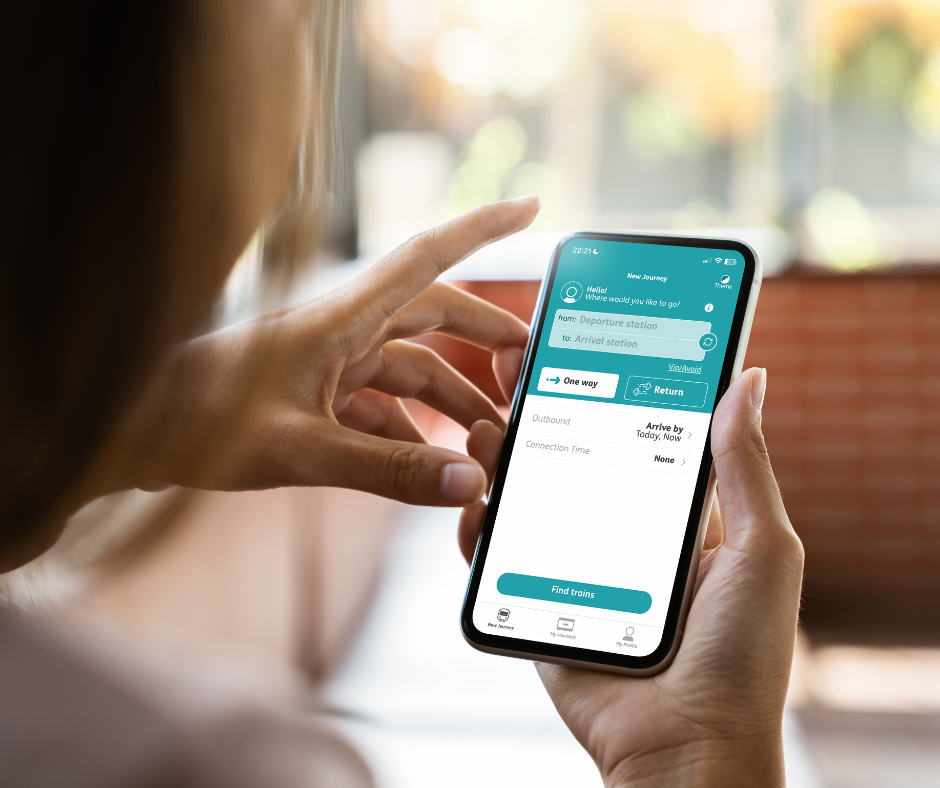
You might be familiar with Passenger Assistance as an app or Webサイト. It is designed to give Disabled and older passengers another way to request assistance before travelling by train.
Some passengers use Passenger Assistance because they prefer to share their access needs in advance. Others prefer to use Turn Up and Go, or request assistance by phone or email.
All of these choices are valid.
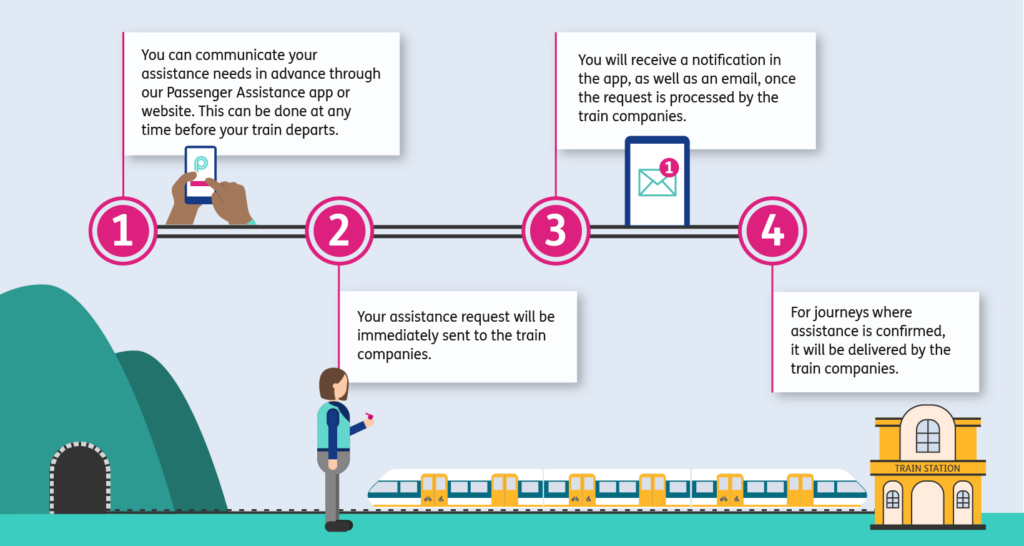
When you make an assistance request through the Passenger Assistance app or website, your request is sent directly to the relevant train company. The train company then reviews and processes the request.
Once this has been done, you will receive a notification in the app and an email confirmation.
For confirmed journeys, the assistance itself is provided by the train company.
Watch the video below to find out more.
Video Description: An animated guide detailing how to request assistance via the Passenger Assistance app; shown from the perspective of Helen who is a power chair user, and Raj who uses a screen reader to use the app.
Passenger Assistance vs Passenger Assist: What’s the difference?
Passenger Assistance and Passenger Assist sound similar, but they refer to different parts of the process.
Passenger Assistance refers to the app and website created by Transreport.
Passenger Assist is the rail industry term for the assistance service itself, delivered by train operating companies.
In simple terms, Passenger Assistance helps passengers request assistance. Passenger Assist is the support delivered by rail staff.
Creating a profile
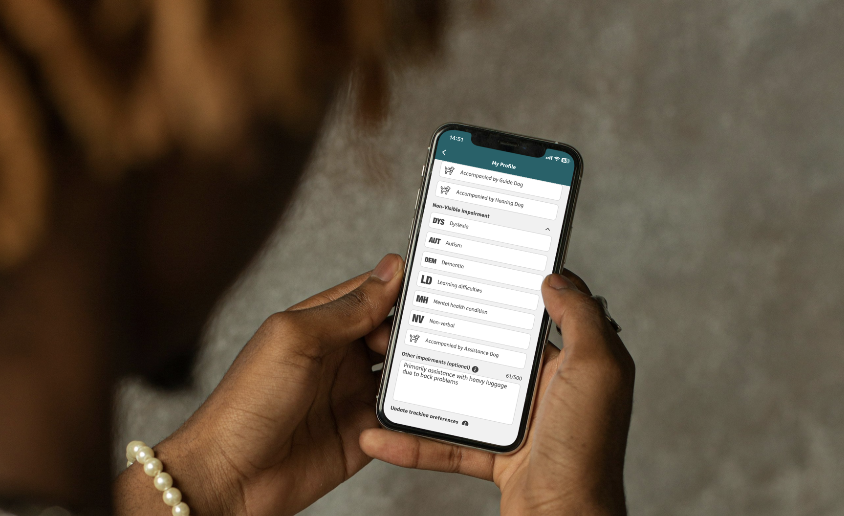
It’s easy to set up an account and create a personalised profile on our app – simply input your access needs and if you wish, upload a photo. Your information is stored securely for your next journey, which means you can request assistance in just a few taps.
Watch the video below to find out more.
Video Description: A tutorial showing how to make an account and create a profile on the Passenger Assistance app (Android version).
Making an assistance request
After booking your train ticket, you can select your journey in the Passenger Assistance app or website.
You can then add the assistance you would like to request. This might include support getting around the station, boarding the train, changing trains, finding the right platform or sharing information with staff before you travel.
Once you have checked the details, you can send the request.
Your request is then sent to the train company, who will review and confirm the assistance.
Video Description: A tutorial detailing the steps to make an assistance request in the Passenger Assistance app (Android version).
What to do if something goes wrong on the day
Passenger Assistance has been designed to make the process of requesting assistance clearer and more reassuring.
However, we recognise that no process is perfect, and sometimes things do go wrong.
If you need support on the day, speak to a member of rail staff as soon as possible. You can also use a station Help Point.
Your journey confirmation email should include the contact details for the train company managing your assistance request.
Start using Passenger Assistance
You can download the Passenger Assistance app on Google Play or the Apple App Store.
You can also request assistance through the Passenger Assistance website.
Visit passengerassistance.com to get started